



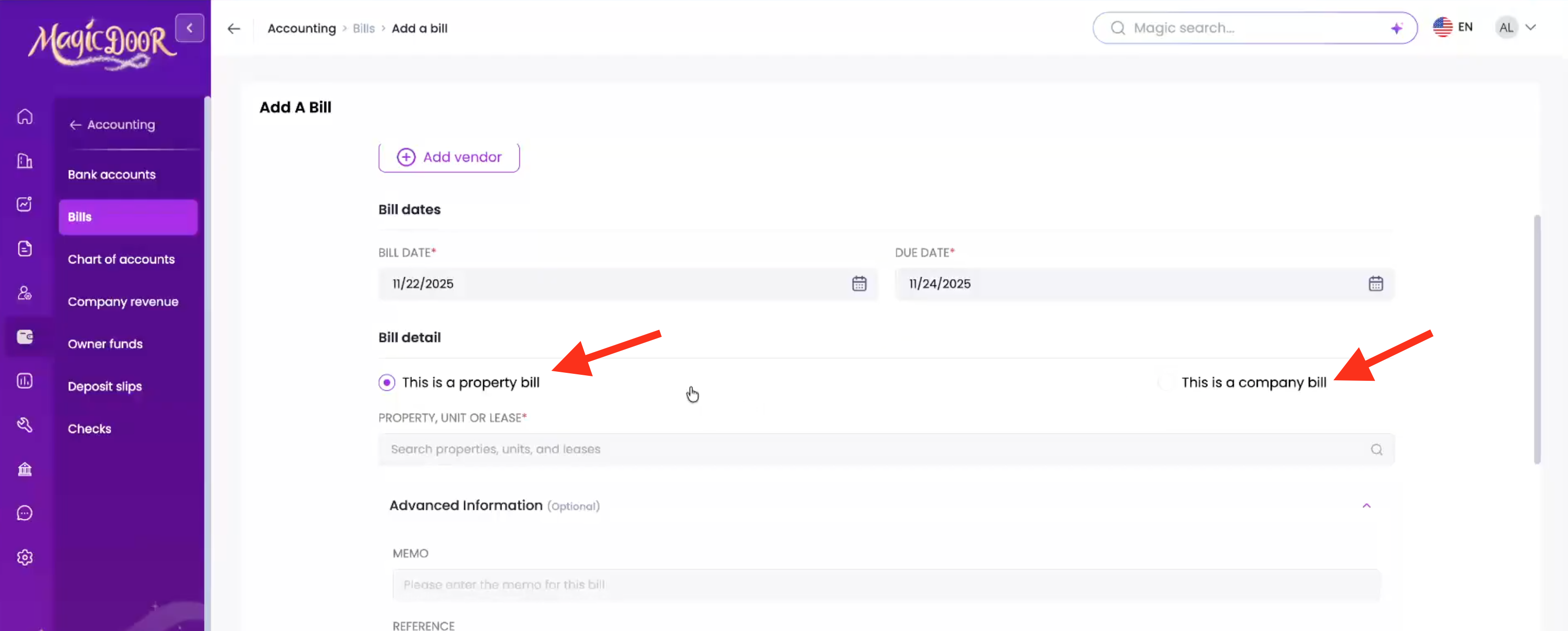
This help article explains the difference between Property Bills and Company Bills in MagicDoor.
It’s divided into clear sections that walk you through:
- What a Property Bill is, including common examples and how it’s used in property accounting.
- What a Company Bill is, and how it applies to your business operations.
- A comparison table outlining key differences between the two.
Use this article as a quick reference when deciding how to categorize new expenses in your accounting module.
What is a Property Bill?
A property bill is an expense linked to a specific property or building. These bills directly relate to the operation, maintenance, or improvement of a property, for example:
- Repairs or renovations
- Utilities such as water, gas, or electricity
- Landscaping or cleaning services
- Property-specific maintenance costs
Property bills help ensure each building’s financial records remain accurate and separate, making it easier to report on profitability per property.
What is a Company Bill?
A company bill represents an expense tied to the property management company itself, not a single property. Examples include:
- Office rent or equipment
- Staff wages and benefits
- Software subscriptions and professional services
- Marketing or administrative costs
Company bills reflect the overall business operating expenses and are not charged to any individual property.
Differences Between Property Bill & Company Bill
| Feature | Property Bill | Company Bill |
|---|---|---|
| Purpose | Tracks expenses for a specific property or building | Tracks expenses for the property management company |
| Examples | Plumbing, utilities, maintenance, cleaning | Office rent, staff payroll, software fees |
| Affects | Property financial statements | Company operating expenses |
| Bill Type in MagicDoor | “Property Bill" | “Company Bill” |
| Linked To | One or more properties | Company account only |
| Use Case | Assign vendor payments to property-specific budgets | Record general business expenses not tied to properties |
MagicDoor supports both types of bills, so you can manage property-level and company-level accounting in one place. This distinction helps property managers maintain cleaner records, generate accurate reports, and ensure owners and stakeholders see only relevant expenses.
Need More Help?
If you have questions, our support team is always here to assist.
👉 Contact us anytime at support@magicdoor.com